Complete Your SASSA eKYC Verification Process in South Africa
If you’ve applied for a SASSA grant lately, you’ve probably noticed a new hurdle: the eKYC process. “Know Your Customer” isn’t just banking jargon anymore. Since September 2025, this electronic identity check has become mandatory for all new SASSA grant applications and beneficiaries making changes to their personal details. SASSA has rolled it out to make sure the right people receive the right money. The idea is simple: prove your identity digitally, skip messy paperwork, and reduce fraud.
So, what does SASSA eKYC really involve? Is it just uploading your ID, or does it go deeper with biometrics like fingerprints and facial scans? In this guide, I’ll walk you through everything you need to know about SASSA’s eKYC process. From understanding what it actually means to completing your verification successfully, you’ll have all information to secure your grant payments without stress.
What is eKYC SASSA?
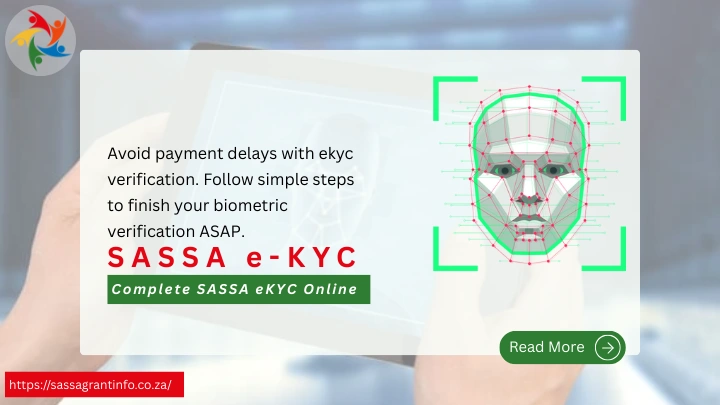
Electronic Know Your Customer (e-KYC) SASSA is the digital system designed to verify your identity before grant approval or payment. Instead of relying only on paper-based forms or manual checks, SASSA integrates online verification tools, databases, and biometric scans. This system uses biometric technology, specifically facial recognition to confirm that you are who you claim to be. Think of it as a high-tech ID check that links your physical features to your South African identity number through government databases.
The eKYC process works by capturing your biometric data and comparing it against records held by the Department of Home Affairs. For example, if your ID details don’t match Home Affairs records, the system may flag your application and request ekyc verification.
Why SASSA Requires Biometric eKYC
Fraud prevention stands as the primary driver behind SASSA’s mandatory biometric verification system. South Africa has battled widespread grant fraud. Ghost applicants, duplicate IDs, and stolen identities have drained billions. To tighten the net, SASSA introduced biometric eKYC checks.
Here is what the ekyc verification sassa system prevents:
SASSA CEO Themba Matlou emphasized that biometric enrollment makes their systems “resilient against manipulation and error”. The agency aims to achieve 95% accuracy in their beneficiary database by the 2025/26 audit period, effectively eliminating ghost beneficiaries who were costing taxpayers millions annually.
How to Access srd.sassa.gov.za eKYC
The official portal is the only reliable entry point. Don’t fall for fake links or third-party “helpers.”
Required Documents and Information
Before you start, keep these handy:
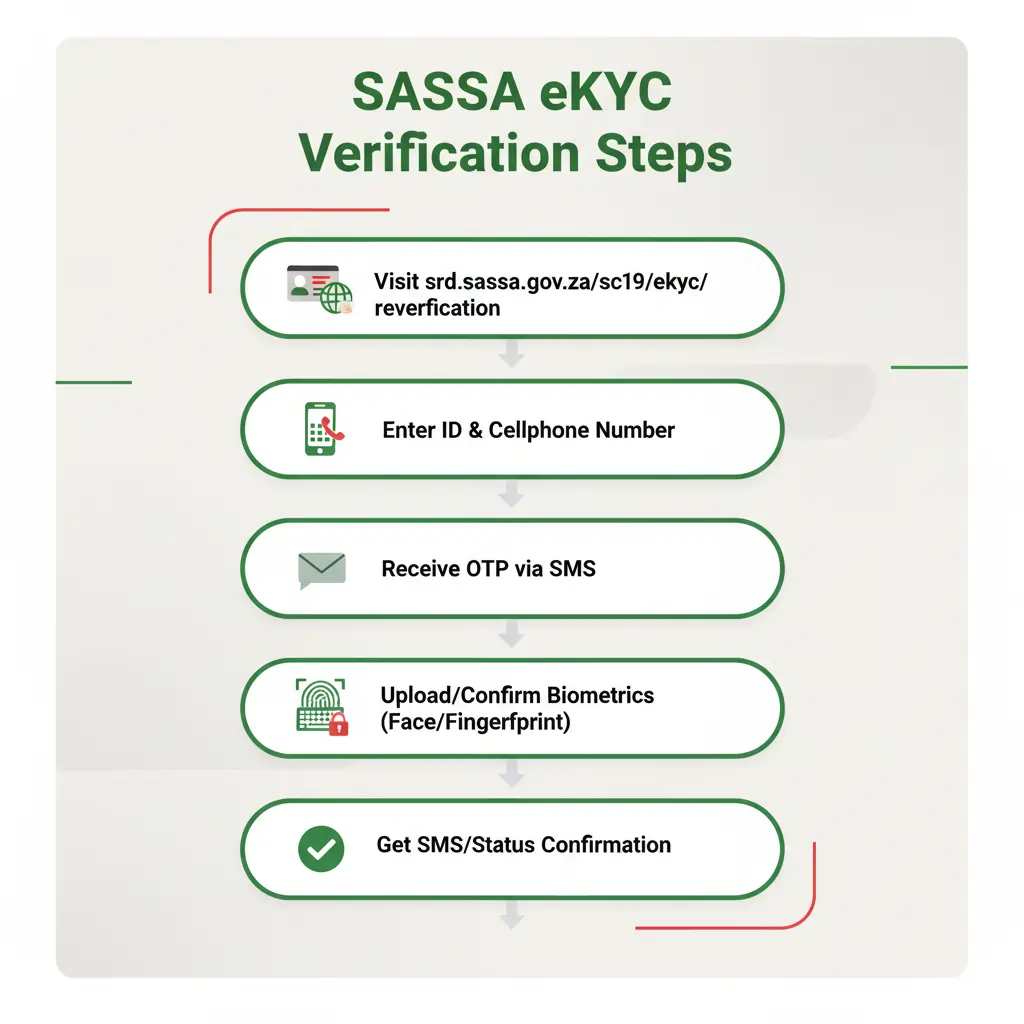
Step-by-Step Verification Process
- Visit srd.sassa.gov.za/sc19/ekyc/.
- Enter your ID number and cellphone number.
- Receive a one-time PIN (OTP) via SMS.
- Upload or confirm biometric data (facial recognition or fingerprint, depending on your case).
- Wait for confirmation — usually via SMS or status update.
Pro tip: Always double-check that the cellphone number you use is the one you registered with your grant application.
In-Person eKYC Verification Method
Not all applicants will follow the same path. You can visit SASSA office for eKYC purpose. If your online attempt fails, you might be asked to visit a SASSA office or partner site. There, your fingerprints and face are scanned using official devices. This adds a layer of trust but also means longer queues.
Bring your South African ID document, current SASSA card (if applicable), and proof of residence not older than three months when visiting for in-person verification. The office staff will guide you through each step of the process and can address any questions about the new system.
SASSA eKYC Status Check
Once you have submitted your details, don’t sit around guessing. Monitoring your verification progress through the SASSA eKYC status check system helps you stay informed about your application progress and identify any issues requiring attention.
To check your eKYC status, visit https://srd.sassa.gov.za/sc19/ekyc/status and enter your ID number and registered phone number. The system will send an OTP to your phone for security verification before displaying your current status. Common status messages include “Verification Pending,” “Verification Complete,” or “Verification Failed” along with specific instructions for next steps.
Status updates typically occur within 48-72 hours after completing your biometric verification. If your status shows “Verification Pending” for longer than three days, contact SASSA directly through their helpline at 0800 60 10 11 or visit your nearest office for assistance. Persistent pending status may indicate technical issues or problems with your submitted biometric data that require resolution.
Failed Verification Reasons
Sometimes your verification might fail because of one of the following reason.
eKYC Impact on SRD Grant Payments
Completing your eKYC verification directly affects your grant payment timeline and status. SASSA has encouraged all SRD grant beneficiaries to ensure that they do an identity verification to avoid payment delays.
Unverified applications remain in pending status indefinitely. You won’t receive any payments until verification is complete, regardless of how long you have been waiting. This policy applies to both new applications and existing beneficiaries who haven’t completed the process.
Here’s the bottom line,: no eKYC, no payout. Your SRD R350 grant (or other social grant) won’t be processed until the system confirms you’re legit. So if you’re skipping the process, expect delays, suspensions, or outright rejection of payments. Do an srd status check now, to see if you need to do e-kyc or no.
Mandatory Biometric Requirements from September 2025
From September 2025, biometric eKYC won’t be optional anymore. All applicants, new and existing will need to pass fingerprint or facial verification.
This shift is meant to standardise security and eliminate loopholes. If you are receiving payments now without biometrics, prepare for the change.
Conclusion
SASSA eKYC system is a safeguard for your grants, do not take it as a burden. Yes, it can feel frustrating when OTPs fail or systems crash, but the alternative is worse: fraud, stolen grants, and delayed payments for millions. If you have not completed your eKYC yet, make it a priority. Your future payments depend on it. Wouldn’t you rather spend 10 minutes verifying now than lose months of grant income later?